Support
Bitwalker is an offline pixel-art roguelite survivor game for iPhone and iPad. Need a hand? You're in the right place.
Questions, bug reports or feedback — email us and we'll get back to you, usually within 2 business days.
info@trentiums.comFor bug reports, please include your device model, iOS version and what happened just before the problem.
FAQ
How do I play?
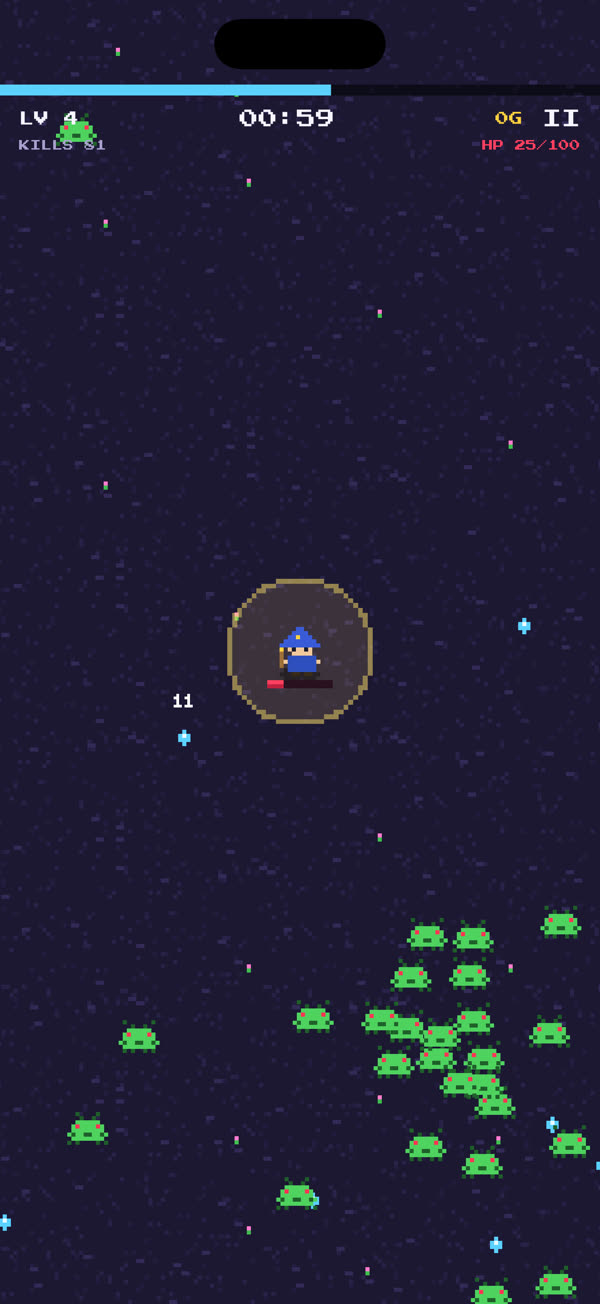
Touch and drag anywhere on the screen to move — a floating joystick appears under your finger. Your weapons fire automatically. Collect the gems enemies drop to level up, then pick one of three upgrade cards. Survive until 10:00 and defeat the final boss to win the run.
How do weapons evolve?
Get a weapon to its max level and also own the passive it pairs with (the level-up card tells you which). Then open a chest dropped by an elite or boss enemy, and the weapon evolves into a stronger form.
How do I unlock characters and permanent upgrades?
Every run earns gold, even if you don't win. Spend it in the menu: unlock the Knight and the Witch, or buy permanent upgrades such as Might, Vigor, Focus, Stride, Reach and Greed under UPGRADES. There are no real-money purchases.
Can I pause a run?
Yes. Tap the pause button on screen during a run. From there you can resume or quit the run.
Does the game need an internet connection?
No. Bitwalker works fully offline. It has no ads, no accounts and no in-app purchases.
Is my progress saved? Can I move it to a new device?
Your gold, unlocks, upgrades and best records are saved automatically on your device. Because the game doesn't use accounts or cloud servers, progress stays on the device it was earned on. Deleting the app also deletes its saved progress.
Is there sound? Can I turn off vibration?
Bitwalker has no music or sound effects. It uses light haptic feedback for key moments; to turn it off, go to iOS Settings › Sounds & Haptics and switch off System Haptics.
The game feels slow. What can I try?
Close other apps and restart the game, and check that your device isn't in Low Power Mode. Updating to the latest iOS version can also help. If it keeps happening, email us.
Privacy
Bitwalker does not collect any personal data. Read the full Privacy Policy.